Is EDT Standard Time? Reading New York’s Sun Calendar
Is EDT standard time? Learn how EDT and EST differ and how to read the date-specific offsets in New York’s sunrise and sunset calendar.
- Eastern Time
- Daylight Saving Time
On this page
Is EDT Standard Time?
EDT is daylight time.
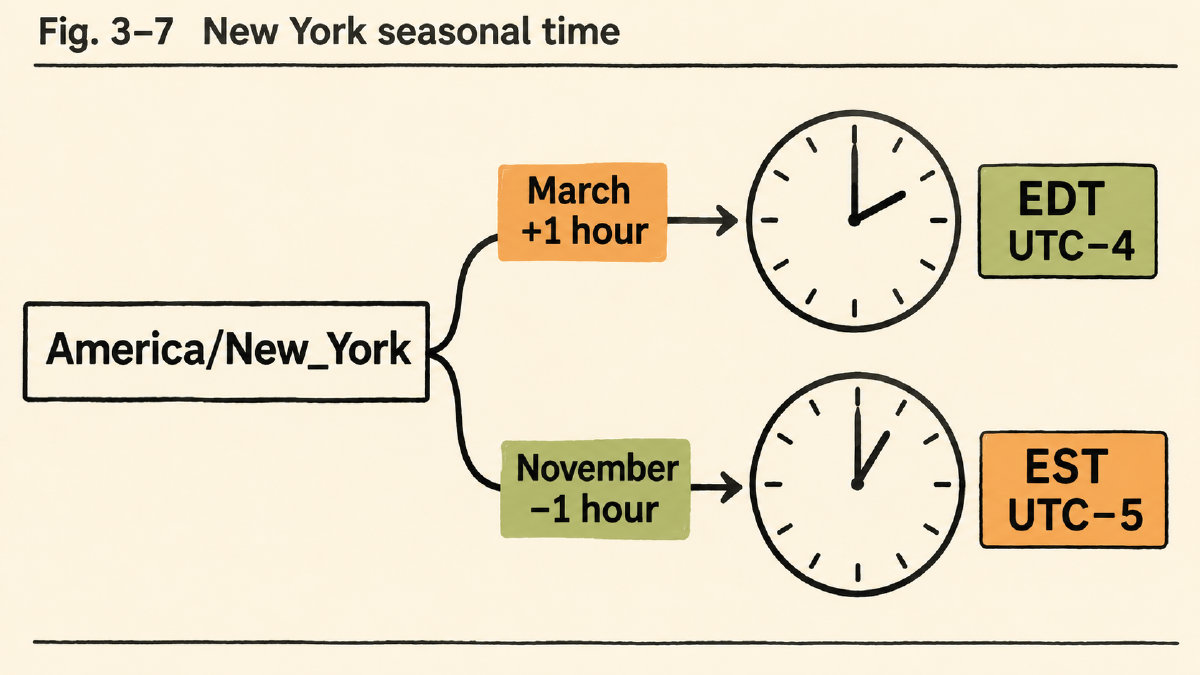
The term EDT, for example, refers to daylight time at UTC−4, one of the two seasonal forms covered by the umbrella term ET. In New York, EST (Eastern Standard Time) is UTC−5 and EDT (Eastern Daylight Time) is UTC−4. When people say “New York time,” they mean Eastern Time — either of these two seasonal forms, which alternate between late autumn/winter and spring/summer, respectively.
Seasonal clock changes in New York
Current spring rule: the second Sunday in March; 2 a.m. EST → 3 a.m. EDT. That’s also a 23-hour transition day.
Current autumn rule: the first Sunday in November; 2 a.m. EDT → 1 a.m. EST. This is a 25-hour transition day.
2026: Daylight saving time starts on March 8 and ends on November 1. Standard time begins on November 1 and continues until March 14, 2027.
2027: Spring starts on March 14, when clocks are turned forward to 3 a.m. EDT.
Reading the selected date and offset
On the New York page, you can identify the selected day’s offset based on its date controls. They control the local date and the calculation location. You can use the Date picker to select another day. The Offset beside the selected date is the UTC−4 (EDT) or UTC−5 (EST). The America/New_York selection refers to every displayed clock time as well. So if you select an arbitrary New York date, it may differ from the device’s own date. The address bar retains the selected date so you can return to it.
In addition to the representative city-center point, which is located at latitude 40.714, longitude -74.006, you’ll also see calculated event times, rounded to the nearest minute. These times may differ away from this point, especially across a large metropolitan area. If so, that’s because your precise position, local horizon and atmospheric conditions can affect when you see the Sun appear or disappear.
Local sunrise and sunset times
You might wonder why sunrise and sunset times appear as they do. The answer is simple: they are documented automatic local time-zone rules, where each calendar date has been assigned a separate application. There is no additional hour added or subtracted to any given day. But when a month includes a transition between clock times, then there will be a potentially different offset within one month.
That’s where a date comparison comes into play. If I want to know what a local time is, then I should look up the printed local times. But the offset is equally important, since it tells me what kind of daylight time we’re talking about. On the left-hand side of a transition month, for instance, the clock time might be EDT (UTC−4), whereas after a transition, it’s EST (UTC−5).
Daylight duration and clock changes
It’s worth distinguishing the relabeling of the clock’s hours with the elapsed daylight. For example, the column labeled “Daylight” represents the number of minutes between sunrise and sunset. Since all of these values refer to the same local calendar date, they are expressed in terms of hours and minutes. As daylight duration changes gradually, you’ll notice it in both the morning and evening portions of your daily routine.
But during a seasonal switch, you’ll only see the effect of daylight placed later on the clock. During spring, you’ll find the daylight portion of your schedule moved toward the evening. Conversely, you’ll see it moved toward the morning during the autumn season.
Seasonal resolution and fixed offsets
An equal converter time seems like a contradiction, but the difference between a date-aware seasonal resolution and a fixed-offset comparison explains this phenomenon. If I select a savvy time of November 14, 2026, you’ll see 7:00 a.m. EST (UTC−5) = 7:00 a.m. EST (UTC−5). That means the EDT entry was resolved to the seasonal form of Eastern Time that applies in winter. If you instead select EDT, you’ll see that EDT is one hour ahead of EST. Thus, 09:00 EDT = 08:00 EST. You’ll notice that these fixed examples remain unchanged regardless of which date or time you choose.
Savvy Time resolves labels to their respective UTC offsets, which gives you something upon which to base your interpretation of the equality.
Sources
Check sunrise and sunset times
Choose a city and date for local times and a monthly calendar.
More in Sunrise & Sunset Guides
- Daylight Saving Time Definition for Sunrise and Sunset TimesA daylight saving time definition for sunrise and sunset readers: understand the one-hour clock shift and why it does not add daylight.
- What Is Dusk? How It Differs from Sunset and TwilightWhat is dusk? Learn how everyday dusk differs from sunset and how civil, nautical and astronomical dusk mark the ends of evening twilight phases.
- Longest Day This Year: What June 21, 2026 Means for Your CityThe longest day this year was June 21, 2026. Learn why daylight varies by city and why the latest sunset can fall later.